

내가 바라는 타블렛PC
2010.05.16 20:28
뭐 요즘 타블렛 바람이 슬슬 부는 듯 하군요.
애플이 아이팻으로 일단 불은 질러 놓은 듯하고 경쟁업체들도 아마도 열심히 대항마를 개발하고 있을 겁니다.
저도 좀 시장조사(?)도 할 겸 좀 구경을 해 보니 마음에 드는 놈이 있네요.
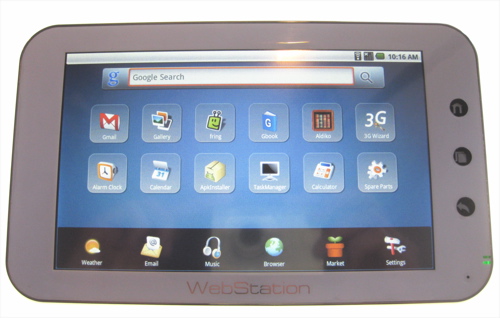
WebStation이라고 Android기반인데 사이즈도 아담하고 옛날 팜 생각이 나네요.
전 스타일러스 있는 걸 좋아하거든요.
아직 호주에는 없는 것 같은데 좀 찬찬히 기다릴렵니다.
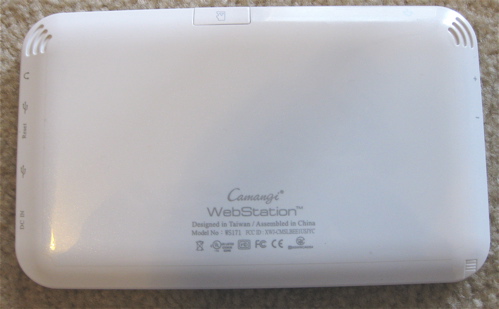
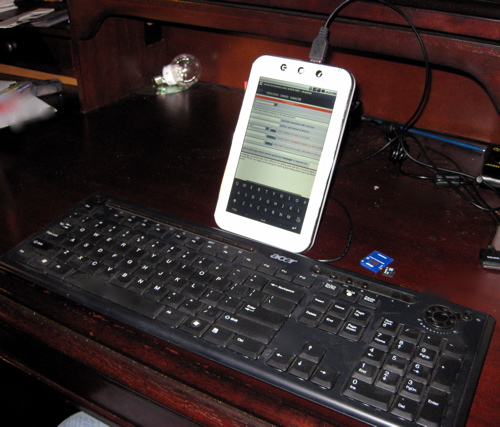
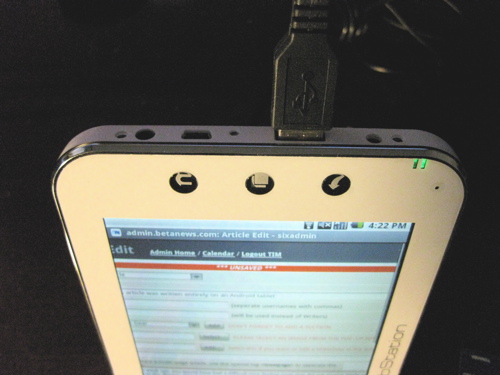
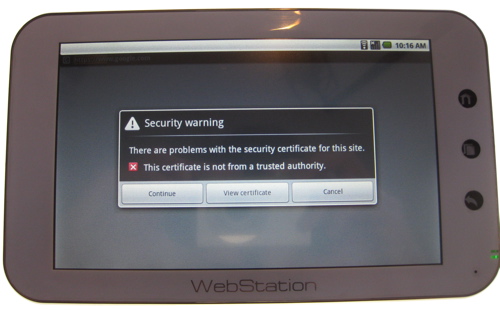
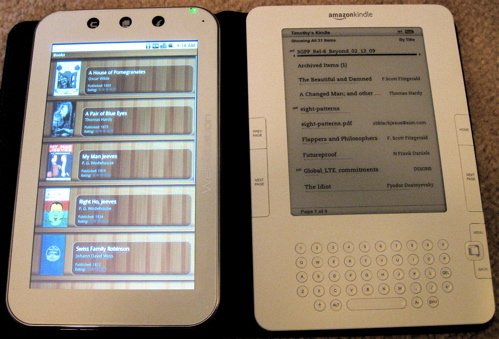
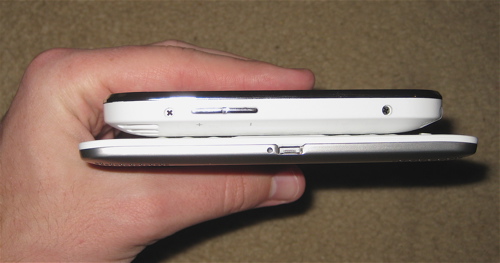
Expectations are a very dangerous thing indeed. As a user, if you expect a new device to do something -- however unrealistic that expectation may be -- you are bound to be disappointed when you find that it doesn't. So I'm just going to start out by saying the Camangi WebStation seriously disappointed me at first. It did not live up to my expectations of what an "Android Tablet" should be. If I was expecting a device with a different purpose, I would surely not have been as disappointed as I was. Here's what hit me about the WebStation when I first powered it up: There are only eight full-fledged apps built in, there's no Android Market, there's no YouTube...and the 7-inch touchscreen is resistive. If you would have asked me to describe a tablet computer five years ago, a stylus would have probably been the second thing in my description. But because this is 2010, and this is an Android device, I had just assumed it was designed for fingers. You can use it with your fingers, but it's nowhere near as responsive as it is when you use the stylus. The chassis is plasticky but mostly solid. The corner where the WebStation's built-in microphone is situated has quite a bit of give to it, and if that were shored up, then it would actually be a very sturdy handheld. It's just a tiny bit thicker than the iPhone, Nexus One, and Motorola Droid, so it does not feel flimsy. Unfortunately, though, the chassis layout is poor, and the swap from landscape to portrait mode is completely counterintuitive. Instead of flipping the device into portrait mode with the "home," "menu," and "back" keys across the bottom where you'd expect them to be, they have to be flipped the opposite way so they're at the top. If you set the device up in portrait mode with the supplied kickstand, the USB 2.0 and mini USB ports are free for use along the top, but the volume rocker switch located on the opposite edge is completely inaccessible. USB ports are an attractive feature on this device, and you can hook up common peripherals to enhance your experience. Device support, however, is unpredictable at best. A USB keyboard and mouse were both immediately recognized and usable; but a USB webcam, USB-to-DVI converter, and Skype headset were not. WebStation has 802.11b/g wi-fi and an app for detecting USB dongles, but no built-in 3G wireless. The app recognized a Qualcomm 3G modem I tested with it, but I could not establish a connection. The WebStation's home screen has a Google search bar across the top, and a dock across the bottom. The middle section of the screen is where twelve app icons or shortcuts are arranged; and when you add more, the screen is paginated. Unfortunately, the home screen does not have a portrait layout, and if you tilt the WebStation on the main screen, nothing happens. The browser, media player, photo gallery, and e-mail client on the WebStation are all from "Cupcake" (Android 1.5), and work just about the same as they would on a first generation Android handset. However, every single site the browser pulls up is first rejected as an untrusted source (even Google and Gmail!). So you have to click through and accept every one. For Web services that are usually Android apps like Twitter and Facebook, this quickly becomes tiresome. As I said before, Android Market is not available, so you can only download .apkpackages from Camangi's WebStation site or from other third-party Web-based app stores. On one hand, this puts a huge damper on the WebStation's usability; on the other, it prevents it from getting apps it cannot handle. Since this is an international device, it also is subject to different Market rules in different countries. Omitting Android Market altogether simplifies this for the company. But it makes installing apps a supreme hassle. I tried to install a number of indispensable apps like Opera Mini and Pandora, and none of them worked. The only apps that worked were the ones that also happened to be available in Camangi's store. This is rather unfortunate, because the two real third-party apps WebStation includes are pretty much the best parts of the device, if more apps were easy to obtain, the device could conceivably be much more enjoyable. The WebStation includes the Aldiko e-reader software and the Fring VoIP client as the main third-party applications. It wasn't until I started using these that I realized WebStation can't really compete in the arena of tablets, but when you look at it instead as an e-reader, it's actually pretty decent. The Aldiko app alone is enough to make a strong e-reader, but WebStation also includes a shortcut to the Google Books Web app on its home screen, so a lot of free content is easy to reach. Aldiko is linked to Feedbooks.com, O'Reilly EBooks, All Romance Ebooks, and Smashwords for free downloads, and it supports e-books encoded in epub, lit, pdf, mobi, rtf, txt, html, fb2, prc, odt, cbr and cbz. Any titles downloaded within the app are saved to the WebStation's included 8 GB microSD. In terms of actually reading on the WebStation, it's quite good. It rests easily in the hand or it can be stood up if you're reading while on the treadmill or cooking. It is a lot thicker than Amazon's Kindle 2, and its four-hour battery life can't even hold a candle to the Kindle's week long charge. However, the full-color backlit screen, full Web browser, and ability to install third-party software make the WebStation a bit more useful as a communications tool, an area where the Kindle 2 is still weak. With all this taken into account, I don't actually think of the Camangi WebStation as a competitor in the burgeoning Android Tablet market, where big PC manufacturers like Asus, HP, and Dell will soon be launching products. Instead, it belongs in the Android e-reader market alongside the Barnes & Noble Nook and Spring Design Alex. At least among those, it's competitively priced ($275 through Amazon.com) and comparably specced. (624 MHz Marvell PXA303, 128 MB Mobile DDR, 256 MB NAND Flash, included 8 GB microSD)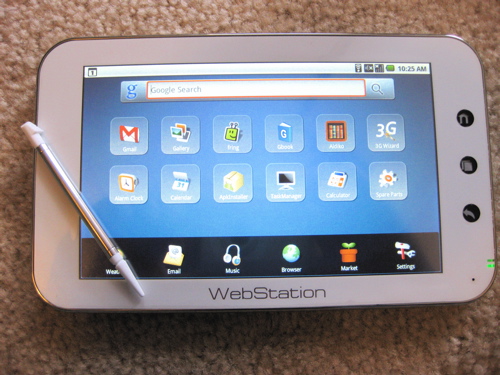
 With Internet tablets, it's not really clear what users should expect when they pick one up for the first time. A couple of years ago, they were built on truncated versions of desktop operating systems, so users based their expectations on their desktop experience. Now, tablets are being built upon mobile operating systems, and expectations are shifting.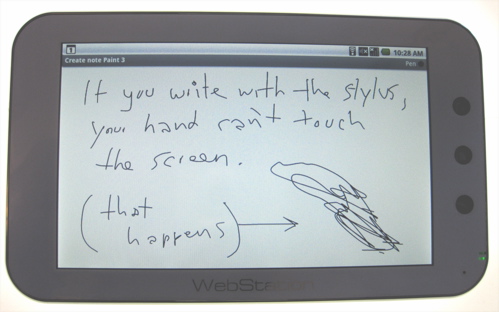

코멘트 8
-
대머리아자씨
05.16 20:32
-
조금만 기다리시면 좋은 세상이 열릴 겝니다. ㅎㅎㅎㅎ
뭐 이건 버전이 1.5이라서 그렇구요 일단 2.*대 나오면 그냥 냅다 질러버......
http://www.youtube.com/watch?v=CzkODn9WEzM&feature=related
어기 가시면 목소리도 나긋나긋한 어여쁜 여자분이 설명도 잘 하네요.
-
왕초보
05.16 21:17
아직 멀었지만.. 조금 방향은 비슷하게 잡은듯.
-
마루타
05.16 21:59
-
일단 윈도우버전이고 뚜껑이 있군요.
그렇탐 부팅이 느리고 무게가 약간 더 나가겠습니다.
밧테리는 모르겠지만.....
크게 땡기지는 않네요.
-
몽몽이
05.17 00:36
크롬이..이 페이지는 영어로 되어 있습니다. 번역하시겠습니까? 라고 물어보는군요 @_@
-
그런데 윈도우도 최대절전모드 사용하면 부팅이 꽤 빨라요. 아니면 그냥 절전모드만 해도 소비전력이 아주 적을텐데..
많이들 사용 안하시는 듯.. 저는 재부팅을 일주일에 한 번 정도밖에 안해요.
-
문제는 가격.
왕초보님 말씀대로 좀 기다리면 좋은 것들로 눈호강하며 고를 날이 올 것 같습니다.


어허....
이런...
거참...
어....
음....
옥션으로 가던 발걸음을 멈추게 하시네요.
옥션에서 봤는데...1100....음...
음...
으....
아~~~~~